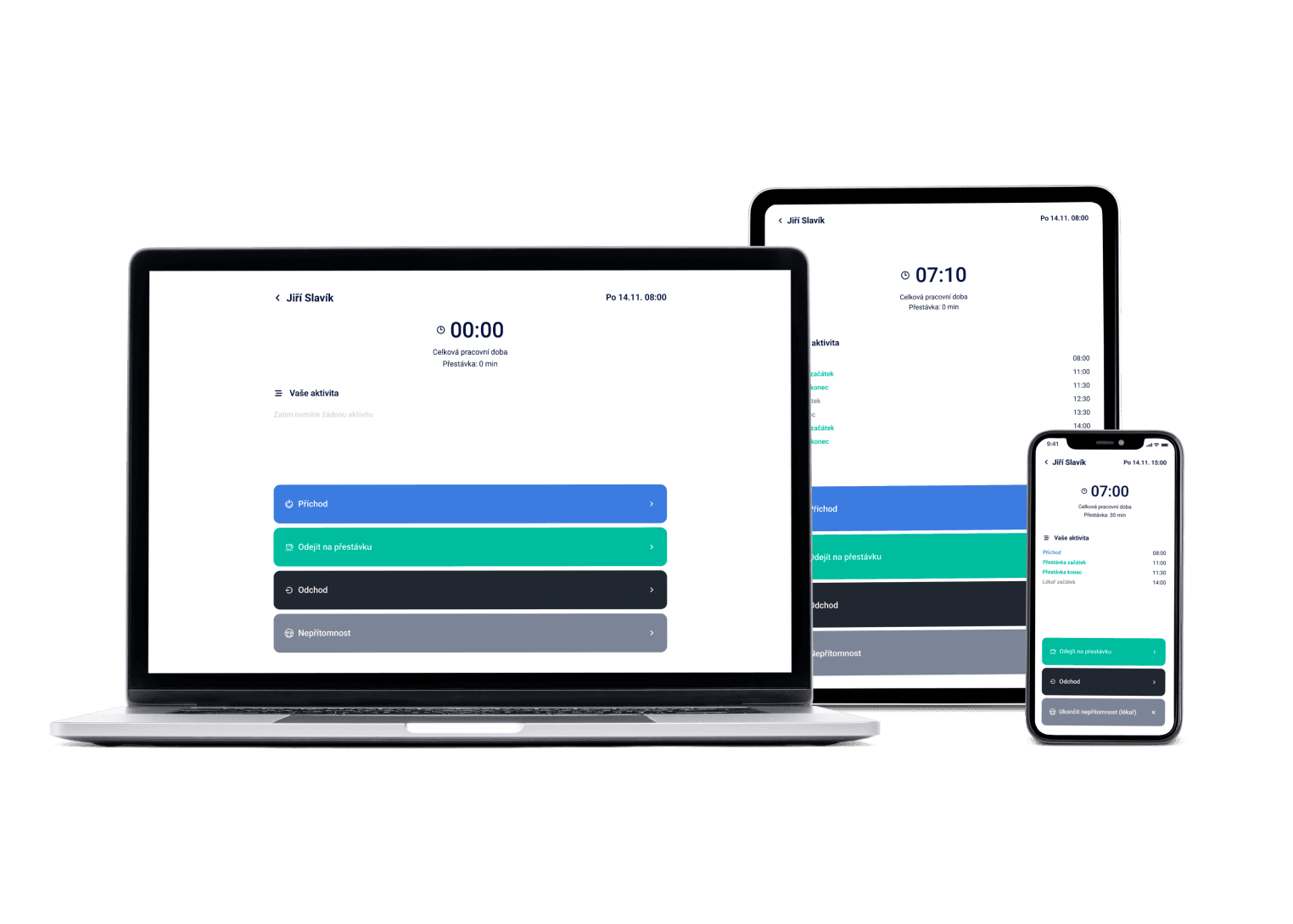
The system alerts you to legal issues in shifts and with individual employees — overtime, DPP contract limits, missing rest periods. You decide how to solve the problem.
We've got a plan for your shifts! Just like for 100+ other companies


You're not a lawyer, and you don't need to be
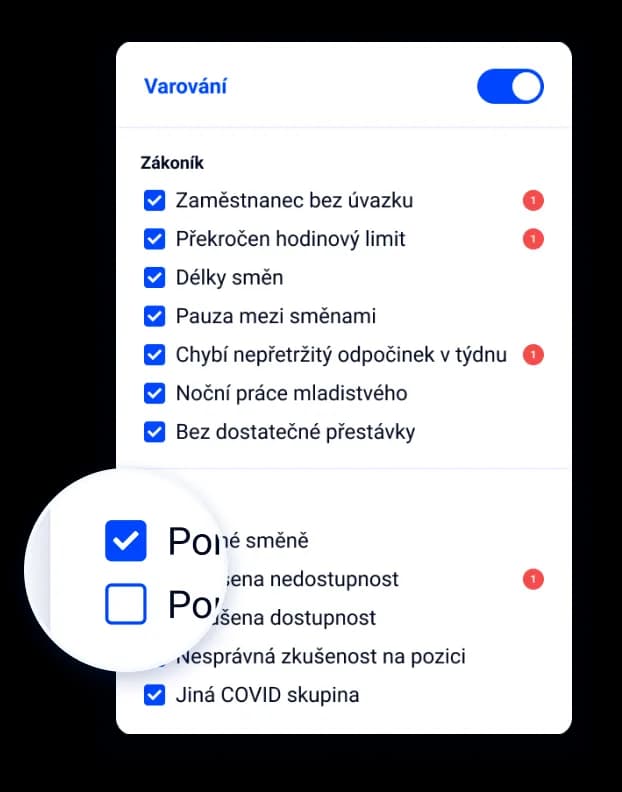
When a shift breaks labor law, you see it right there — with an explanation of what's wrong and how to fix it.
The law changes, you don't have to keep up
We track changes to labor law and keep the system's rules updated. You focus on the floor, not the statute book.
We watch part-timers too, not just full-time staff
DPP and DPČ agreements have their own hour limits. The system watches them as closely as regular contracts.
It's an automatic check that watches whether your schedule and attendance match legal limits — rest periods between shifts, shift lengths, DPP/HPP contract limits or overtime. Dayswaps flags every mismatch; deciding how to fix it stays with you.
A flagged shift or employee shows an alert explaining exactly what's off — say an exceeded monthly overtime limit or a missing weekly rest period. Checks run both while scheduling and while editing attendance for payroll, and you choose which alerts to track.
AI + Human
“Prepare the inspection log for last quarter.” Short rest or overtime above the limit is flagged by the system itself, before the schedule goes out. The assistant turns that into the document you hand to an inspection — and how you fix the problem is your call.
From the Complete plan up you can also ask for a custom report to download — “How many weekend hours did each employee work last quarter?” — and the file arrives right in the reply.
The AI Assistant is part of every plan.
See everything the AI Assistant can do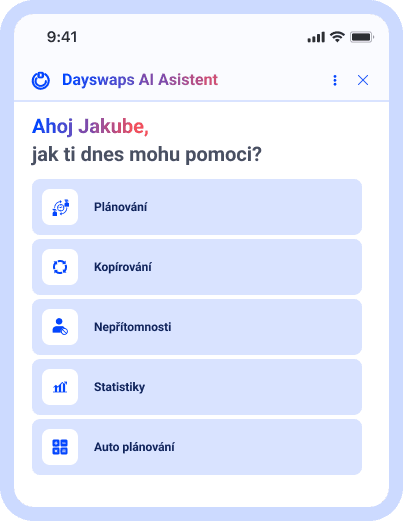
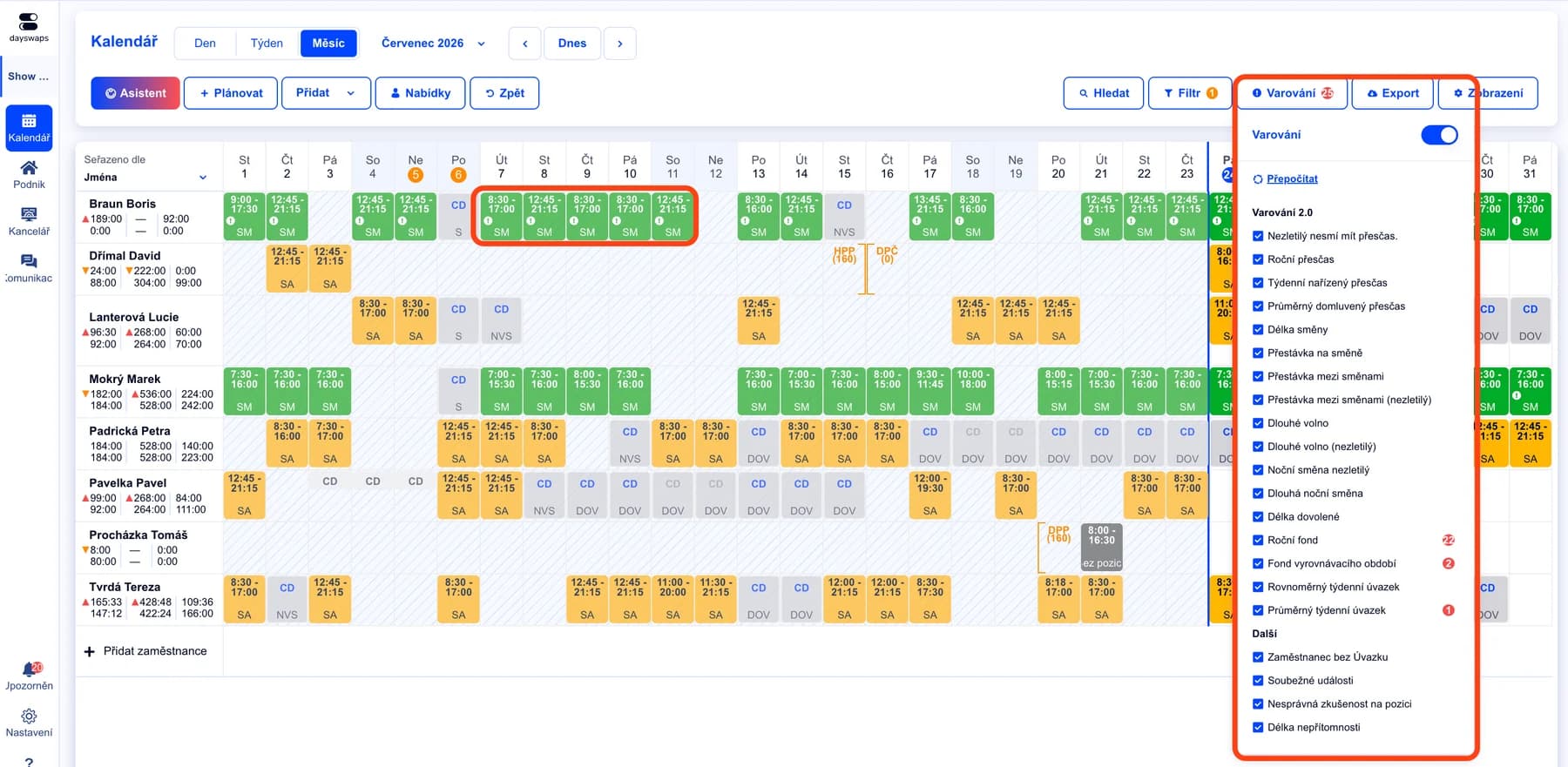
We watch labor law with you
Breaks, rest periods between shifts, DPP and HPP limits — the check runs in the background on every shift.
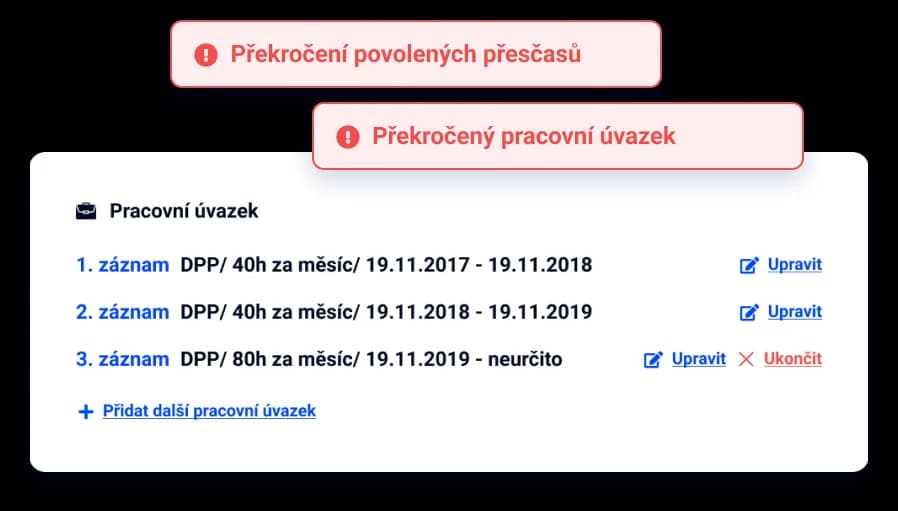
Not just that it's wrong, but why and how to fix it
Click the warning and see exactly what's wrong and how to fix it.
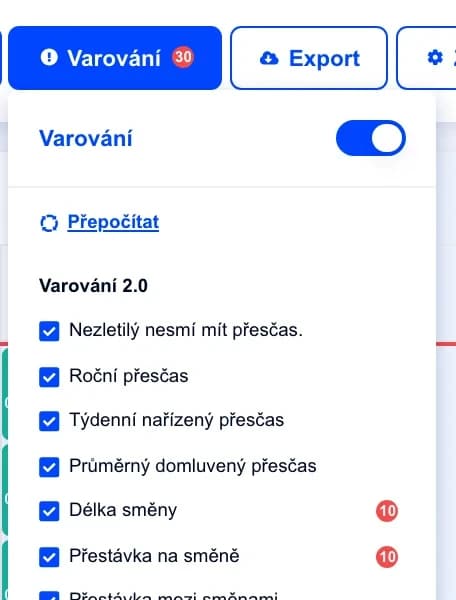
Rules that match your operation
Set your own thresholds and alerts wherever you need them.
"Thanks to Dayswaps, I always have an overview of whether everyone complies with labor law and I don't need an accountant on hand at all times."
Simona
Moje Hygge
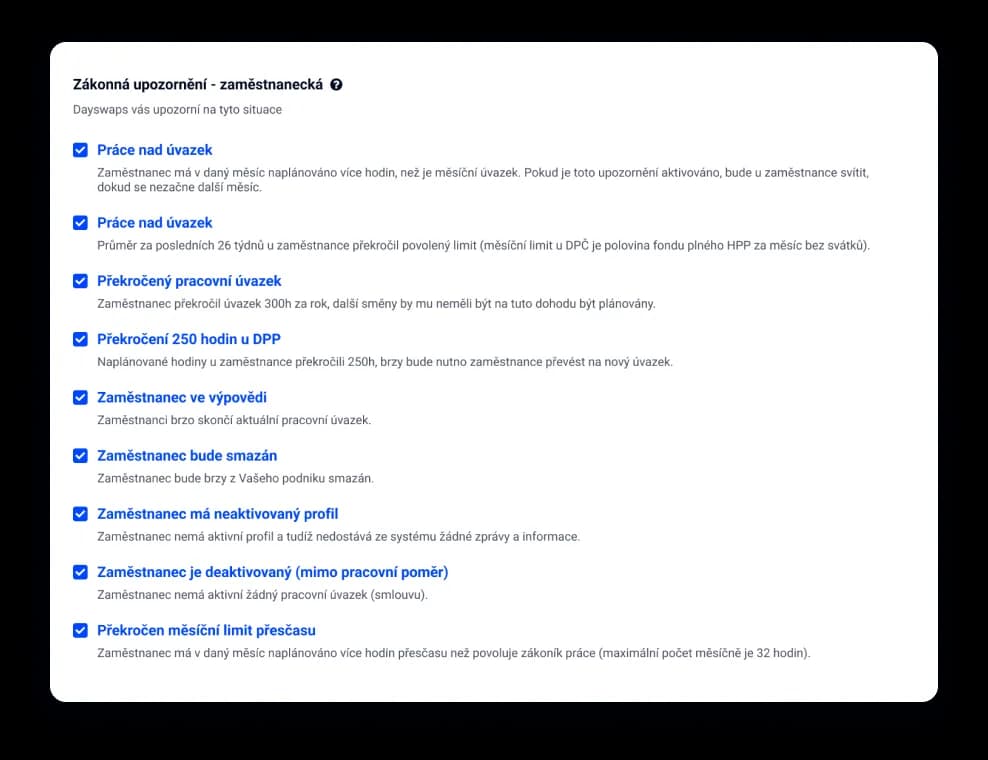
We track changes to the law for you
As labor law changes, we update the system's rules.
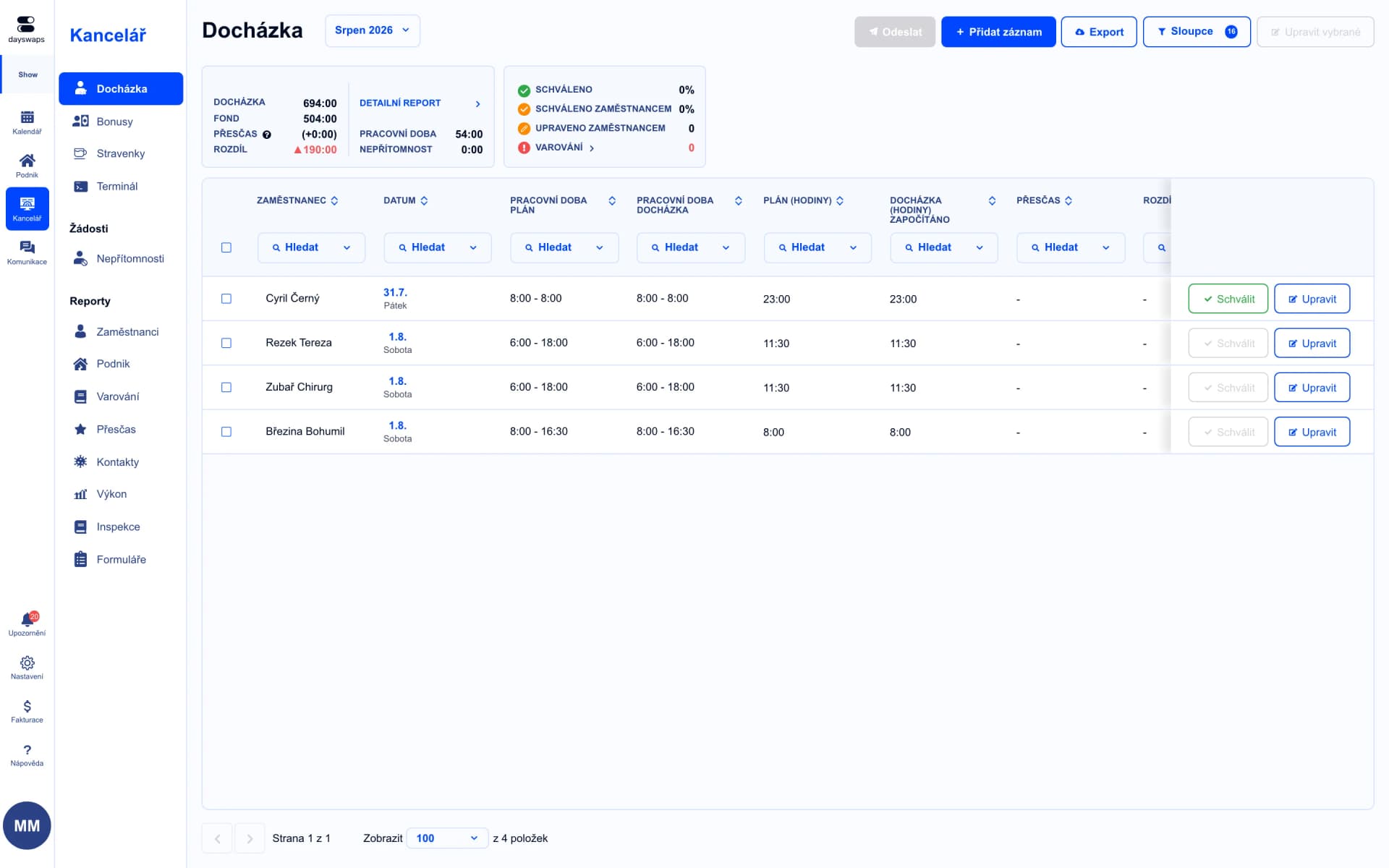
Checked during payroll too
Labor law is checked while editing attendance too, not just in the schedule.
Enter the sick leave as usual and the system accounts for the day based on your hour-fund settings. If you're unsure about a specific case, support can help.
The system tracks things like the 300-hour annual DPP limit, the 250-hour monthly limit and the 32-hour monthly overtime limit, and warns you before an employee exceeds them.
Yes. The system watches shift lengths, mandatory breaks and continuous rest between shifts and within the week.
Yes. Checks also run while editing attendance for payroll, so you catch issues retroactively, not only while building the schedule.
Yes. You can turn each legal alert on or off individually depending on what's relevant to your operation.
No. The system just needs to recognize the risk and alert you — how you resolve it is your call.
Join more than 100 companies that plan their shifts with Dayswaps.
Free for 14 days, no credit card required.