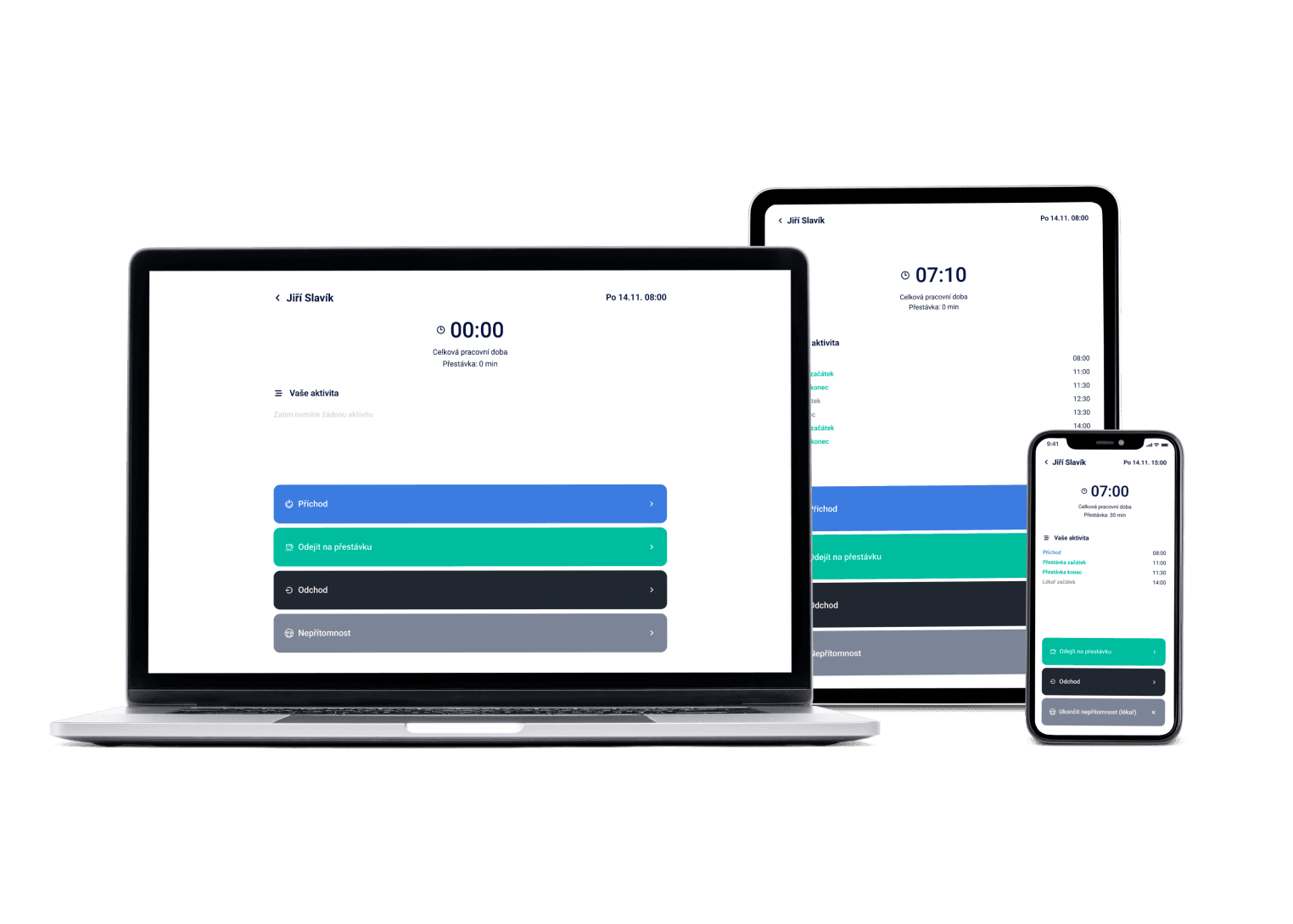
Scheduling that takes hours elsewhere is done in minutes. Shift templates, scheduling cycles and Daily Need save you the repetitive work — and we watch labor law for you.
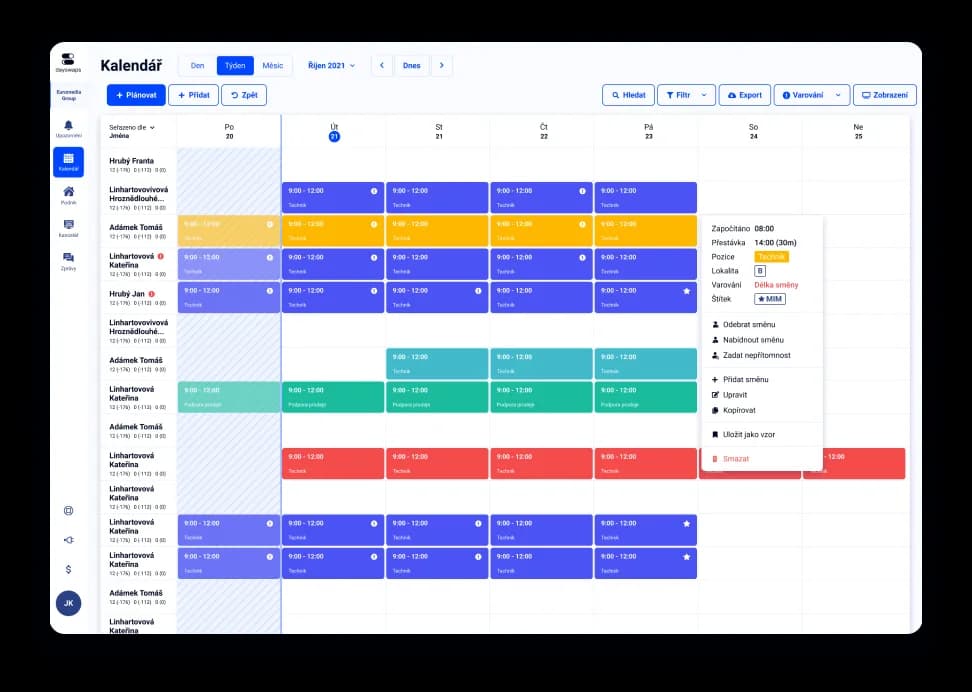
We've got a plan for your shifts! Just like for 100+ other companies


Plan a month in minutes, not a whole day
Create a template of your usual day or week and next time only adjust the exceptions. Tell the system how many people each position needs that day, and Dayswaps shows you where the schedule still has gaps.
A task list right on every shift
No more separate work lists on the noticeboard or in a notepad. Attach tasks directly to a shift and employees see them together with their schedule.
Dozens of locations, one overview
Whether you schedule a single store or a chain across the country, you see everything in one place — no switching between accounts.
Shift scheduling means building a work rota that says when and where each employee and part-timer works. In Dayswaps you assemble the schedule from shift templates and repeating cycles, so you never draw it from scratch, and your team sees it instantly in the mobile app.
First you create shift templates (say, a morning 6:00-14:00). In Daily Need you set how many people you need per position on each day. Then you assemble the schedule in the calendar, repeating weeks are handled by scheduling cycles — and you publish the finished rota to the whole team's phones in one click.
AI + Human
“Plan next week like last week.” The assistant prepares the schedule as a draft — you look it over, add the exceptions and publish when it fits. A planning cycle that is an hour of clicking elsewhere comes down to one sentence and one check.
From the Complete plan up you can also ask for a custom report to download — “How many weekend hours did each employee work last quarter?” — and the file arrives right in the reply.
The AI Assistant is part of every plan.
See everything the AI Assistant can do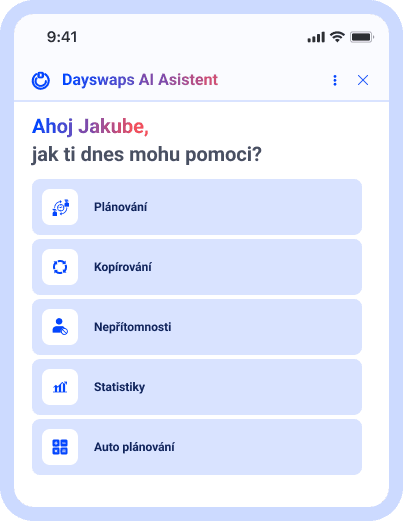
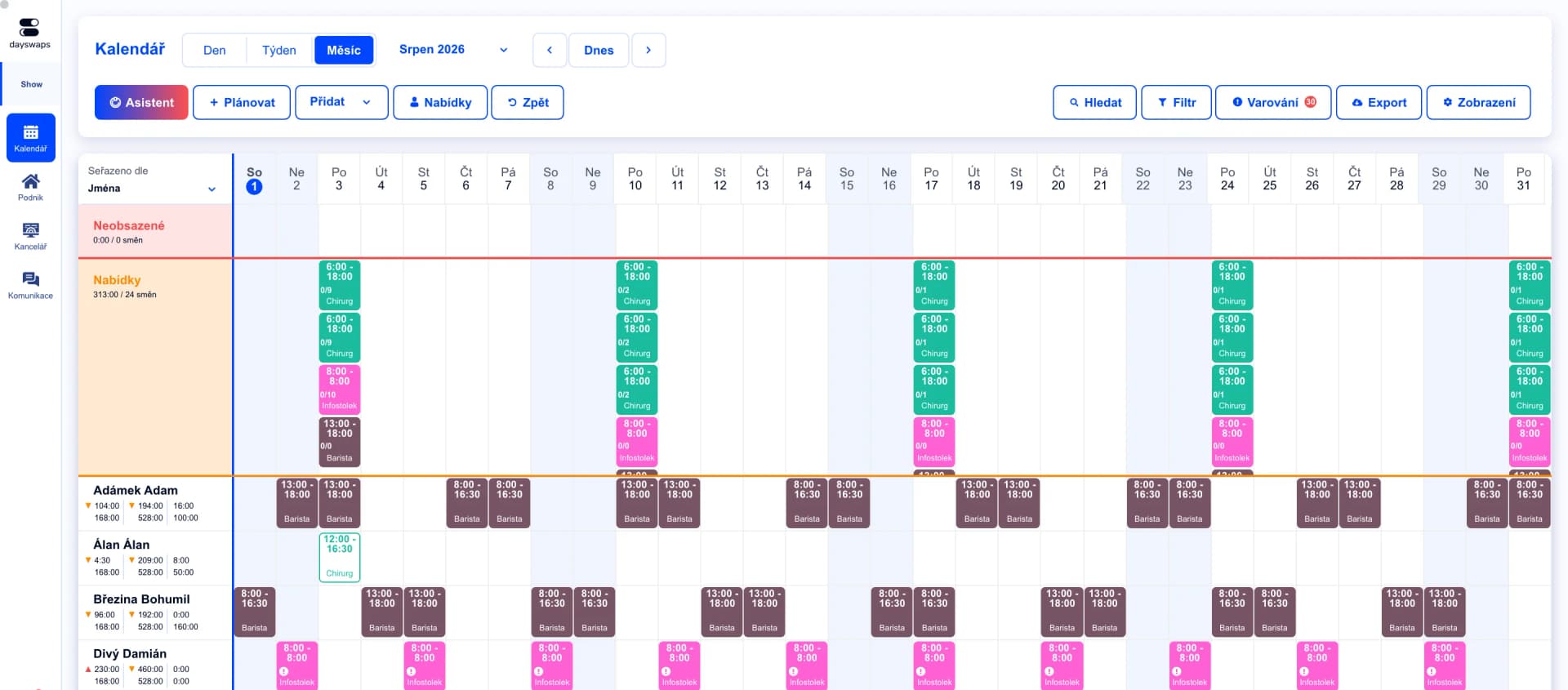
A schedule for months ahead
Plan shifts by week, month, or a whole year at once — all in one clear calendar.
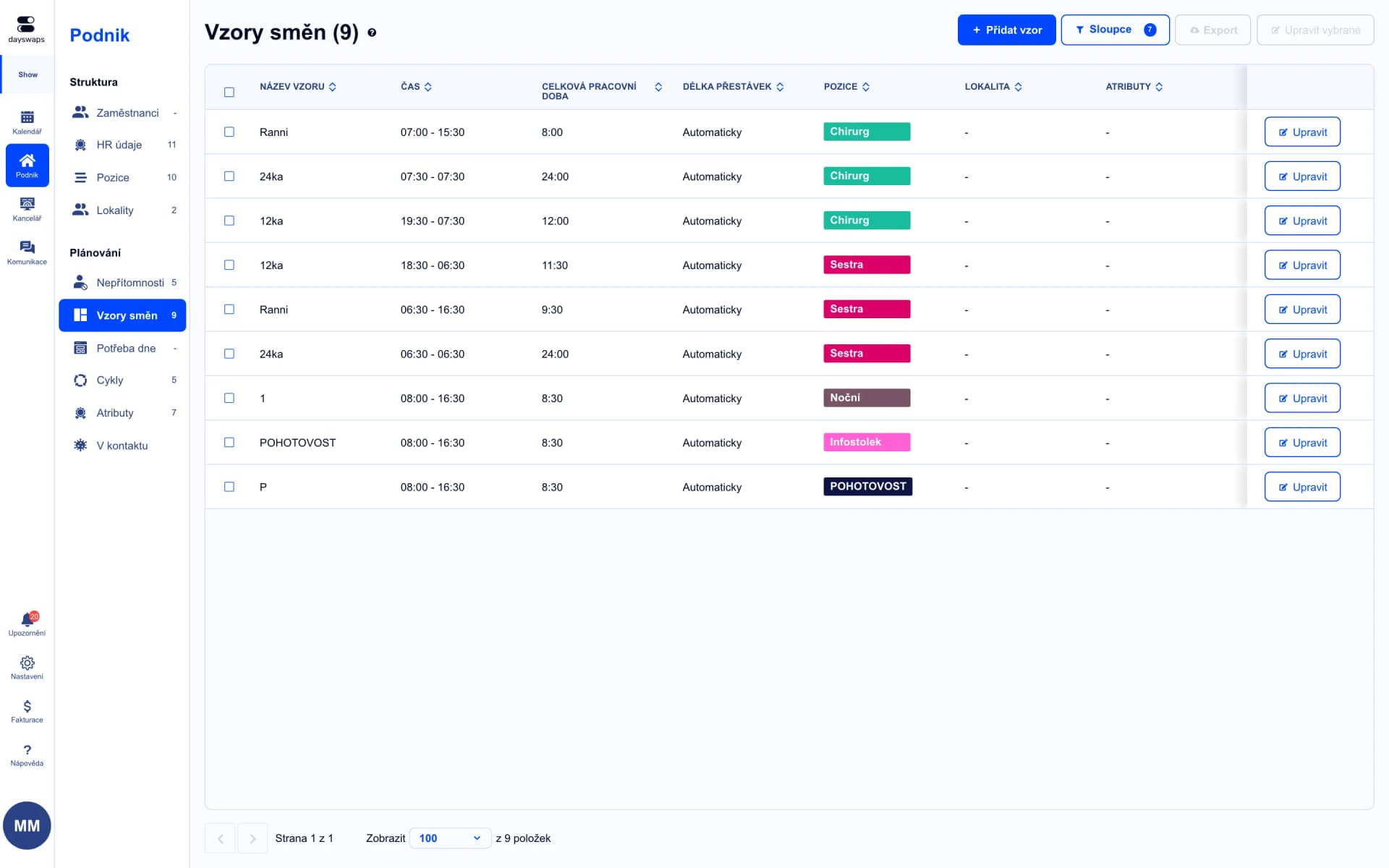
Shift templates you'll reuse again and again
Create a template for a typical day or week and next time just adjust it — a repeating schedule takes a few clicks.
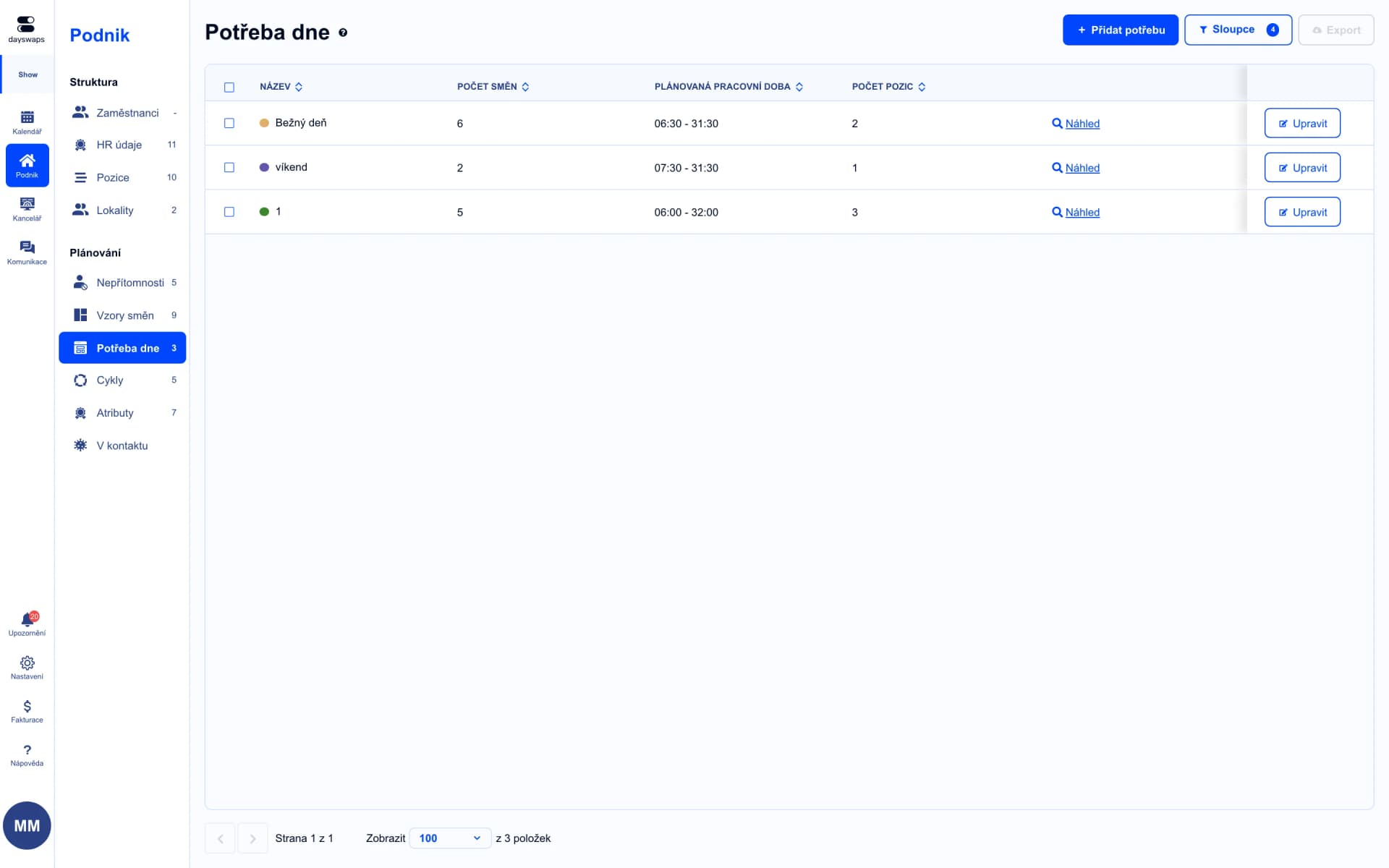
Tell it how many people a day needs
Set how many employees and in which position should be on shift — the system shows you where coverage is still missing.
"Dayswaps changed our lives for the better thanks to clear shift planning for our employees. I really like the company's approach — whether it's setup or explanations, they are very helpful and willing. I recommend them to anyone who wants to save time."
Pavol Franko
Dámejídlo
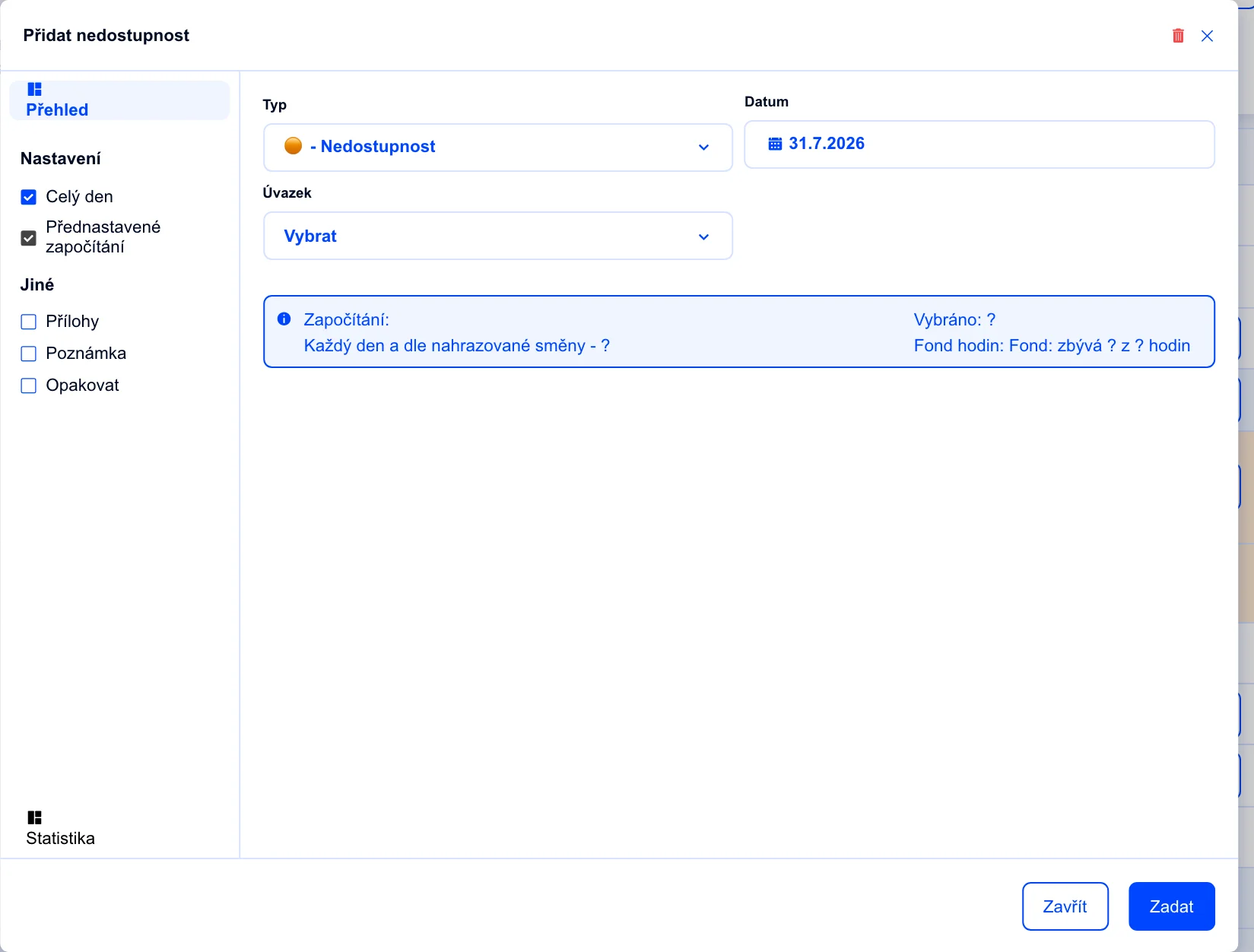
Employees tell you when they can work
Let employees set their time preferences and availability — you plan knowing it'll actually work out.
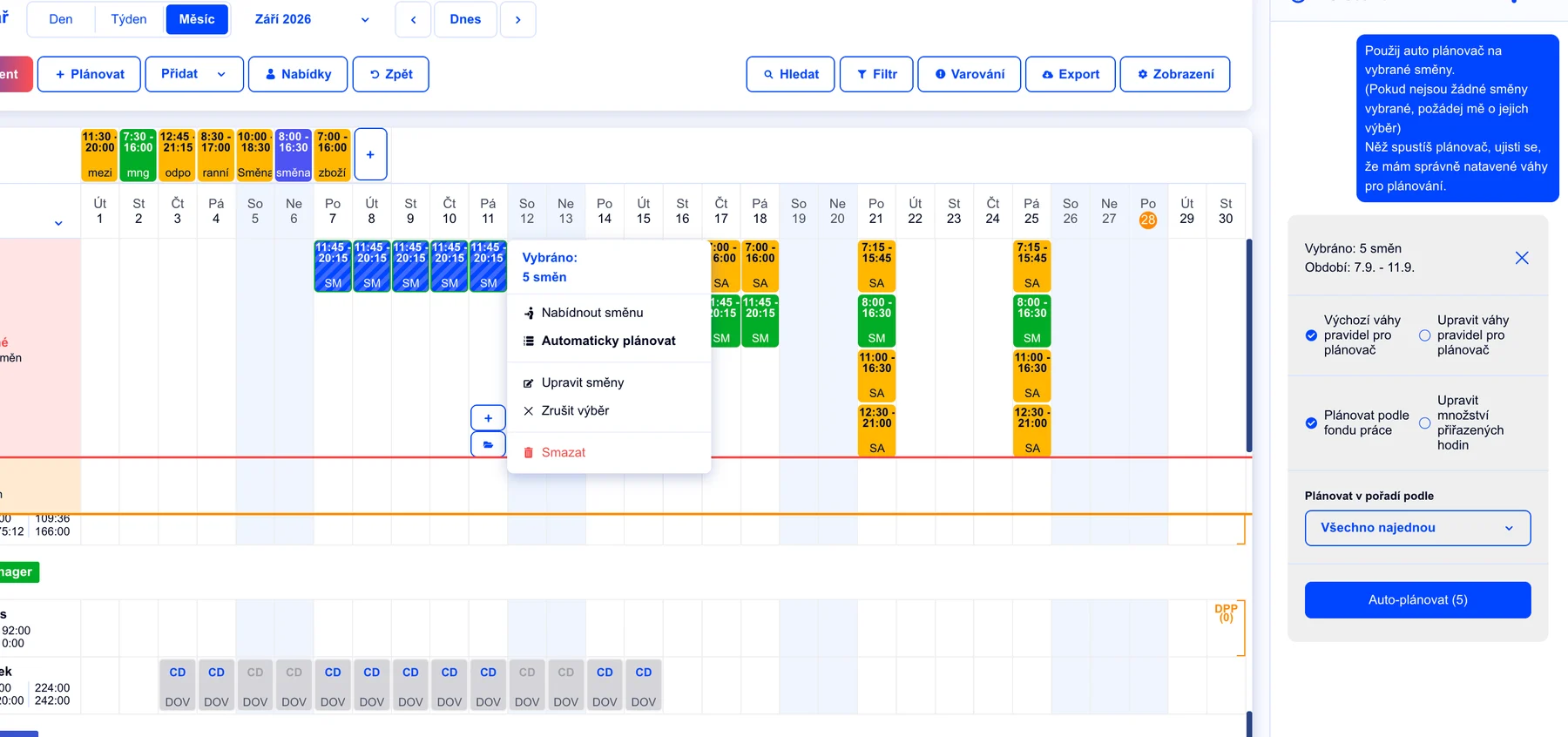
A schedule draft in one click
Let the system propose coverage based on the rules and priorities you set — you review the draft and confirm it.
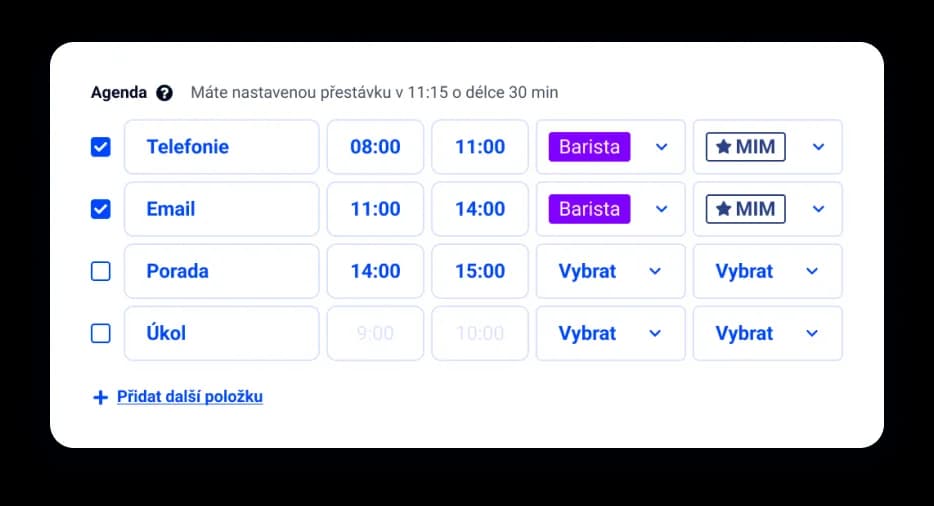
Tasks right on the shift
Attach specific tasks to a shift — employees see them together with their schedule, no noticeboard or sticky notes.
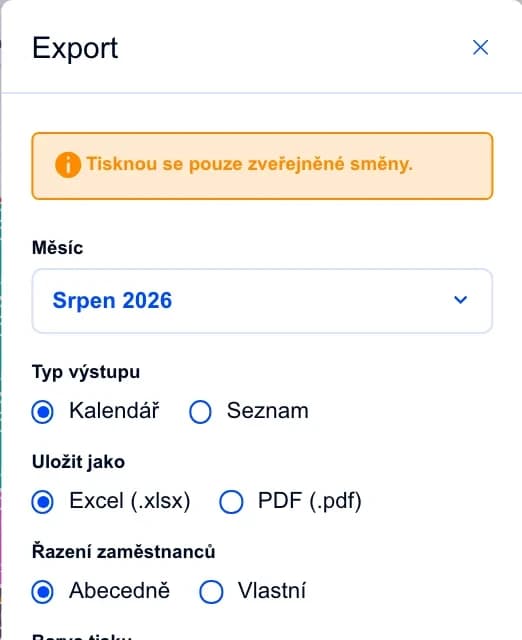
Your schedule outside the system too
On the Complete plan you can print the schedule for the noticeboard, or export it and send it on.
They enter their availability in the mobile app — the days and times they can work. You see it right in the calendar while planning, so even part-timers who only come now and then get their shifts.
Yes. Every open shift offer shows a named list of who accepted, declined or hasn't responded yet. You can let first-come-first-served decide, or pick the winner yourself.
Yes. Each location has its own schedule, you can lend employees between branches, and the overview of loans and cross-branch bonuses stays in one place.
It's a staffing template: you set how many people you need per position on a given day — say two baristas in the morning and one in the afternoon. While planning, you instantly see where the schedule doesn't add up yet.
Yes, from the Complete plan up. You can print or export the schedule, and reports are available for individual employees or the whole team.
It creates, edits or copies shifts based on what you type, applies a day template and prepares exports. You always review and publish the draft yourself. The assistant is included in every plan.
Join more than 100 companies that plan their shifts with Dayswaps.
Free for 14 days, no credit card required.