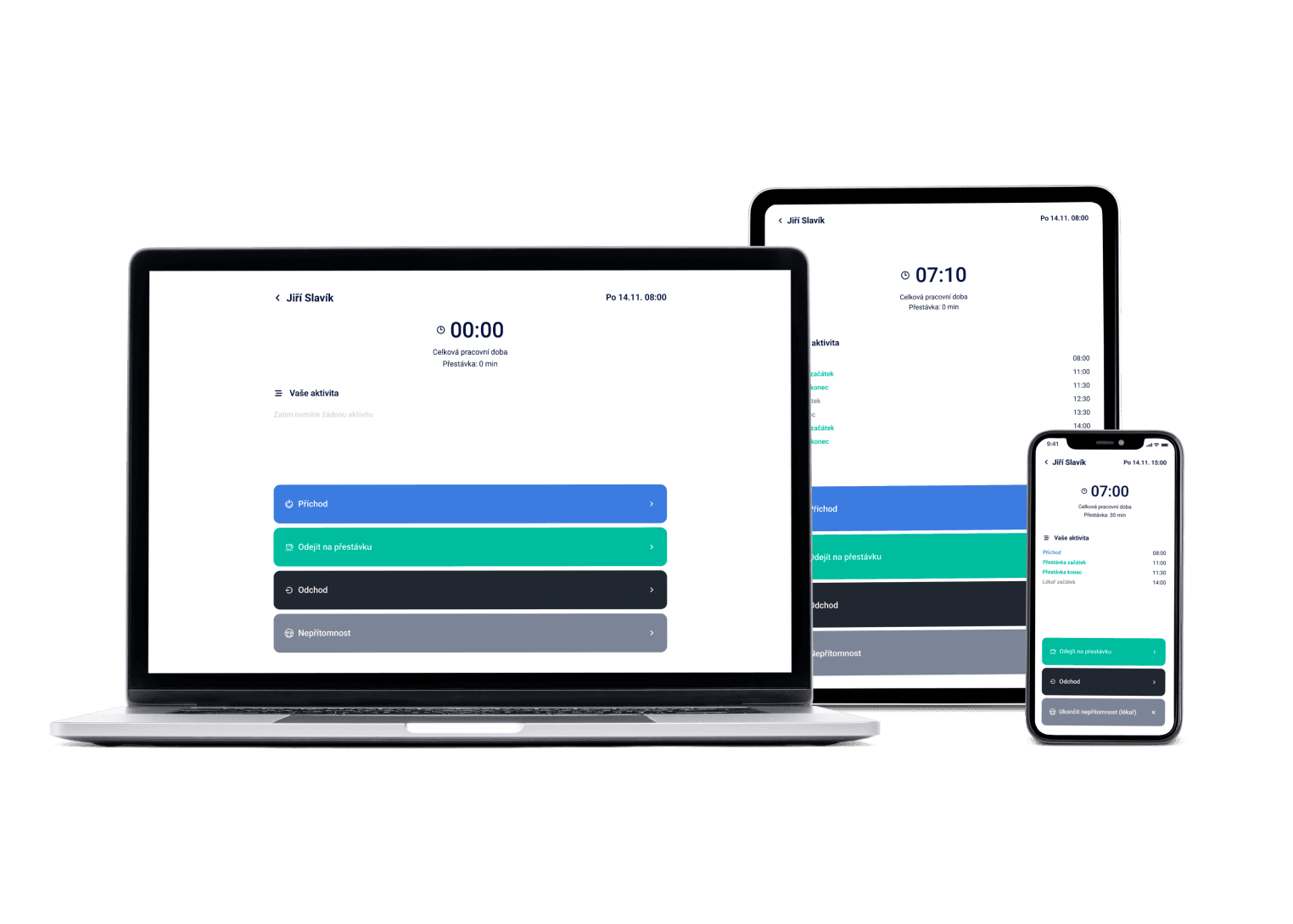
A morning shift on the tills, an afternoon in the stockroom, a weekend peak on both. Dayswaps schedules the whole store around your opening hours and expected footfall — and if you run several stores, you see them all from one place.
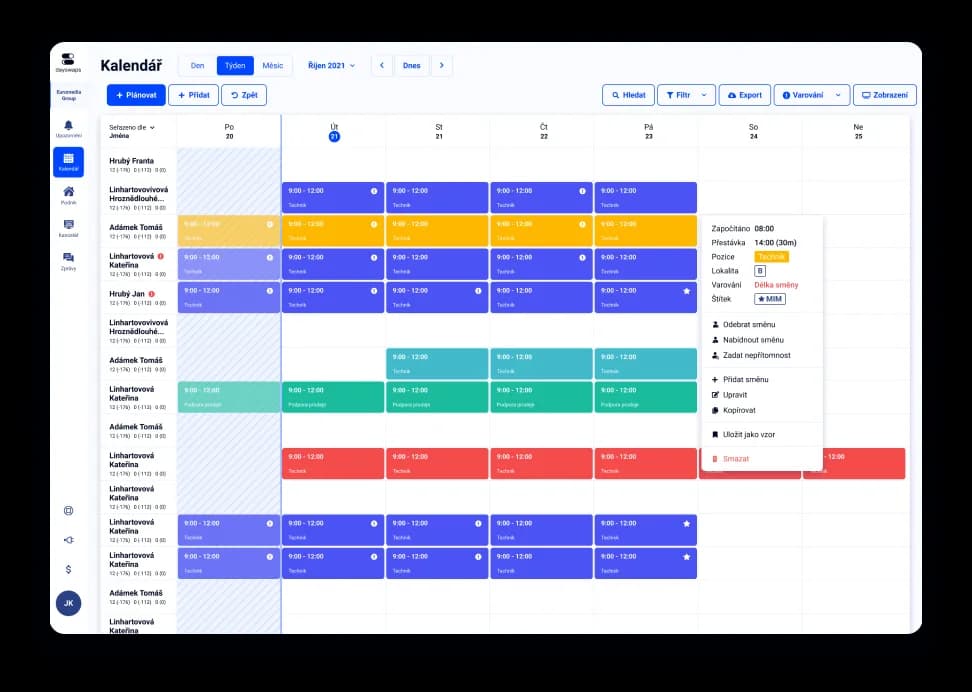
We've got a plan for your shifts! Just like for 100+ other companies


Multi-location with a central overview
Several stores, one overview with no account switching. A chain of shops needs to see every site at once.
Daily Need
Set different staffing levels for the weekend than for a weekday. Footfall in a shop swings with the day of the week and with the season.
Direct export to Czech payroll systems
Export payroll data straight into KS Portál, Pamica, Helios, HH or MRP. Stores with more staff need payroll data fast and free of errors.
Shift scheduling for a shop means matching staffing on the tills, in the stockroom and on the shop floor to your opening hours and expected footfall, and keeping an overview across several stores if you run more than one.
Templates and Daily Need let you set the staffing you need for each day of your opening hours separately — a morning shift on the tills, an afternoon in the stockroom and a reinforced weekend. The system then shows you where staffing is still missing.
AI + Human
“Delete the afternoon warehouse shifts on 24 December.” The assistant deletes shifts in groups, so shortened opening hours are not clicked through day by day. Nothing changes for the team until you publish.
From the Complete plan up you can also ask for a custom report to download — “How many weekend hours did each employee work last quarter?” — and the file arrives right in the reply.
The AI Assistant is part of every plan.
See everything the AI Assistant can do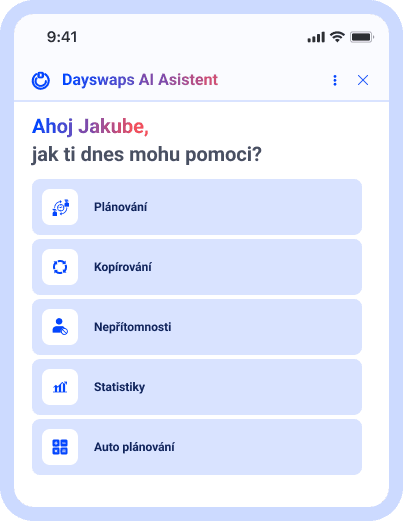
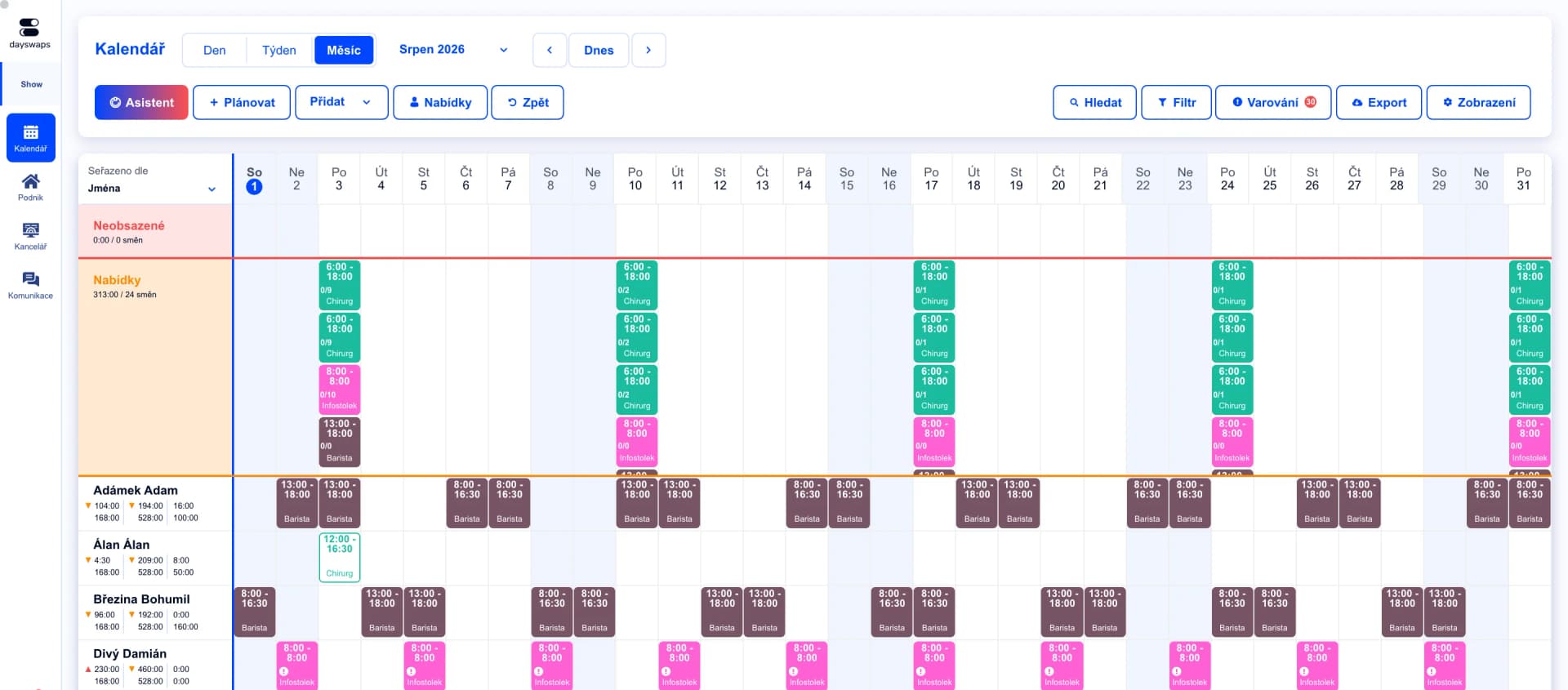
Tills and stockroom in a single rota
Every position (till, stockroom, shop floor) has its own template and staffing requirement.
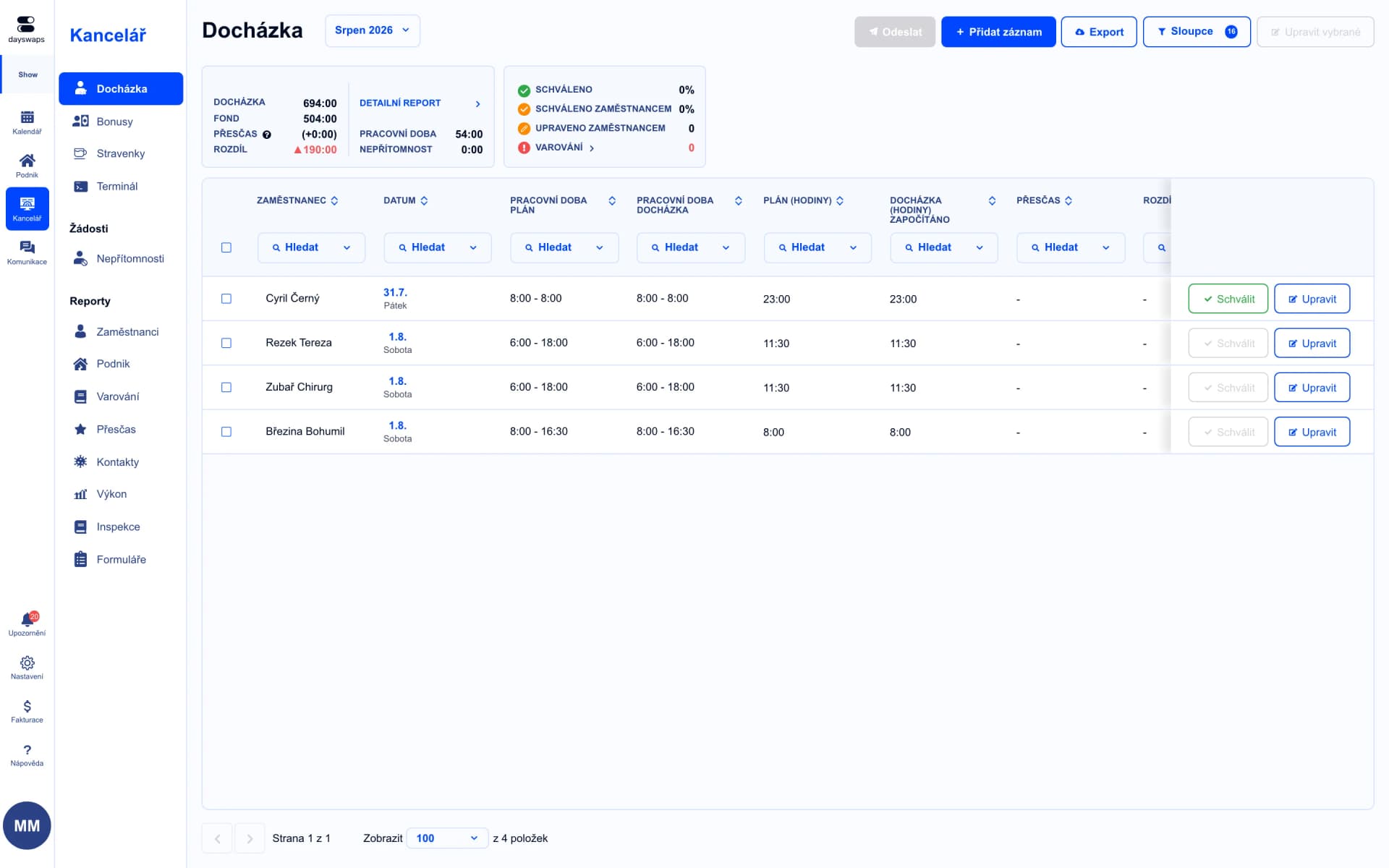
An overview across stores
Attendance is tracked the same way in a single shop as across a branch network.
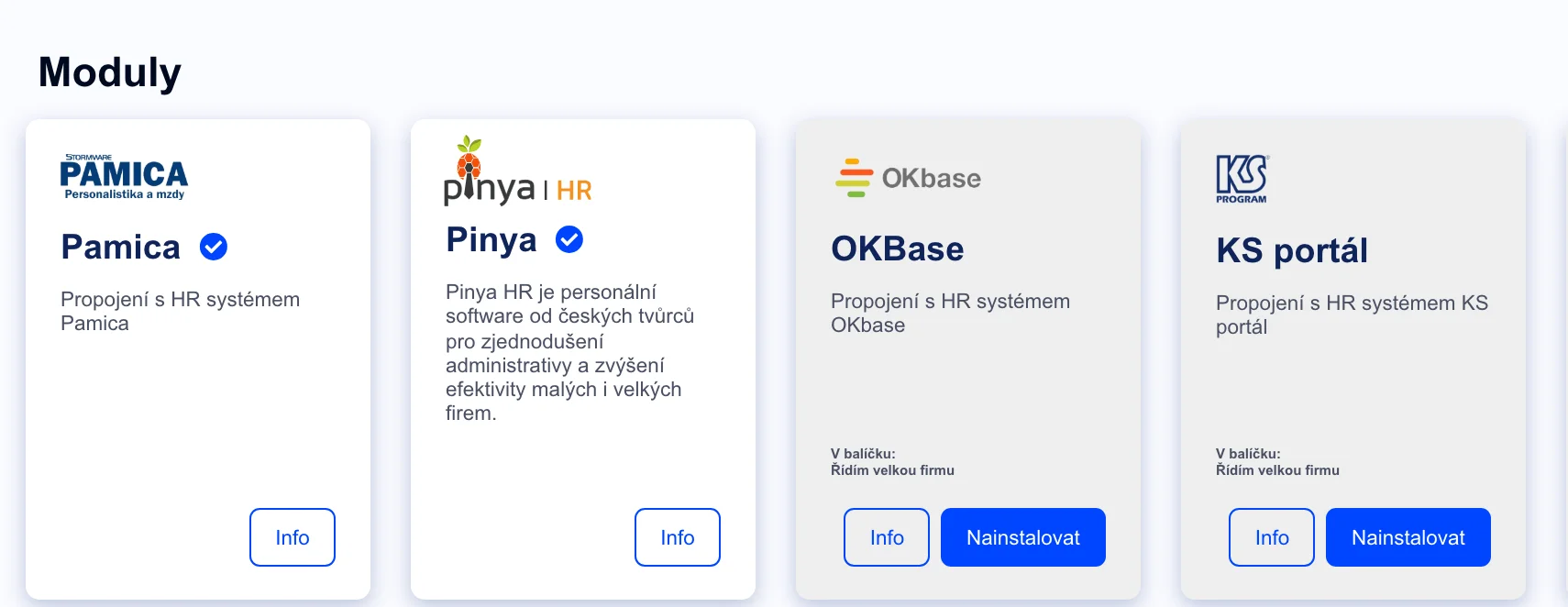
Export straight into your payroll system
No manual re-typing — straight into KS Portál, Pamica, Helios, HH or MRP.
Retail chains such as Sportisimo, Tchibo and GRIZLY use Dayswaps.
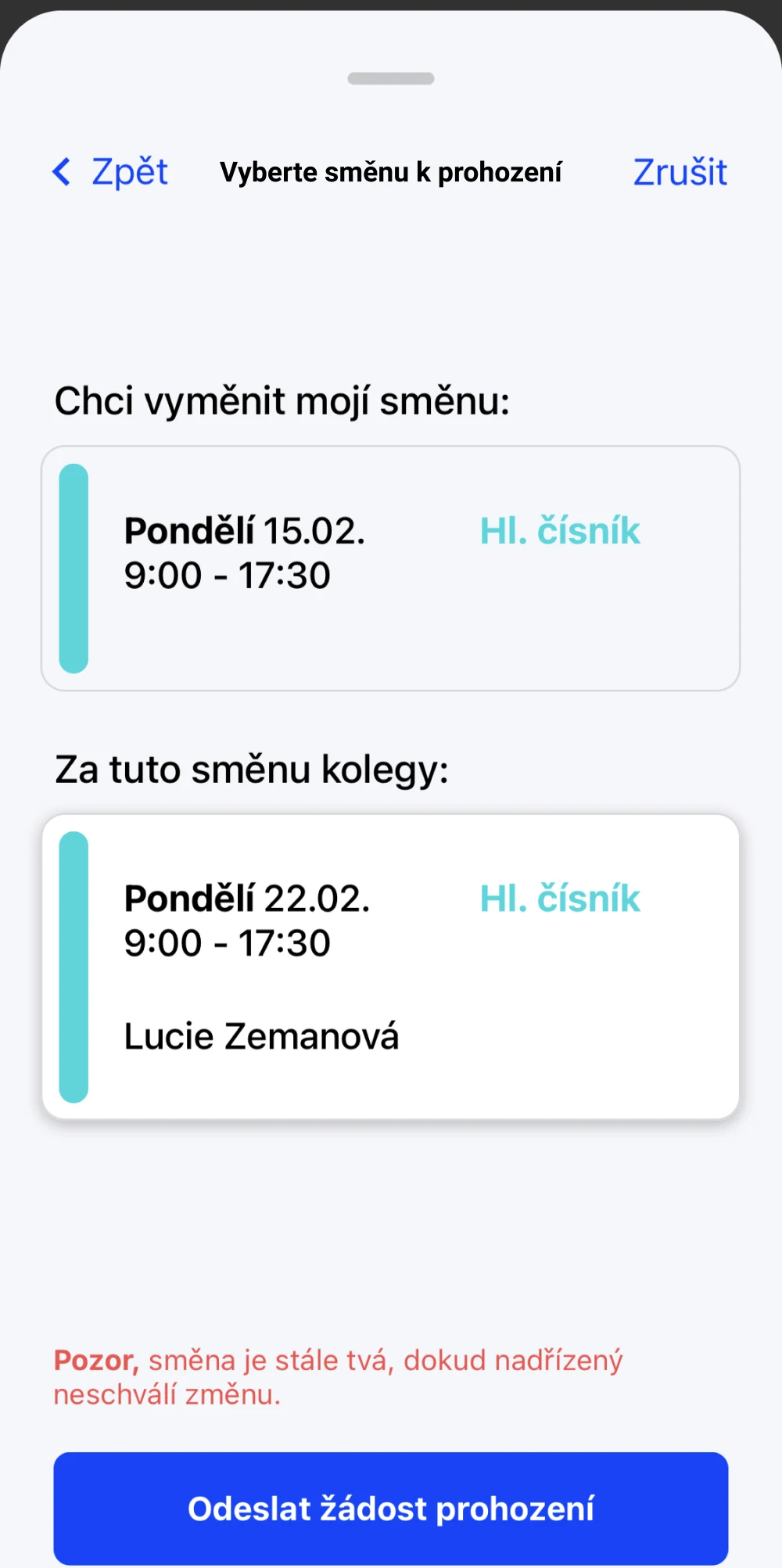
Swap a till shift from your phone
Can't someone make their shift? They sort the swap out with a colleague in the app and the manager just confirms it.
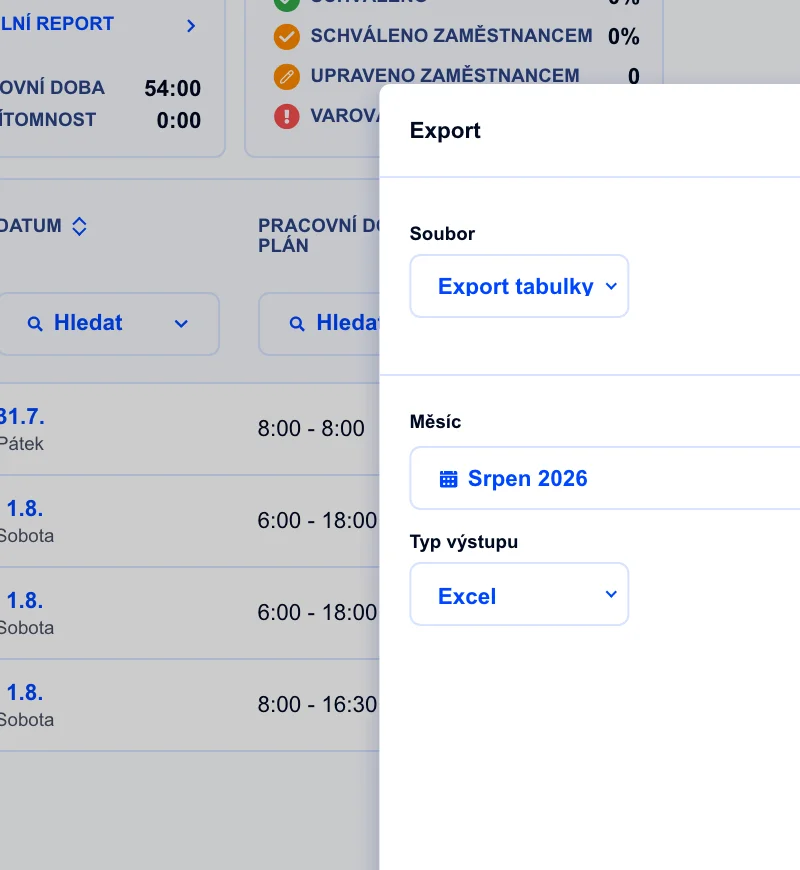
Payroll system integration
Attendance flows straight into KS Portál, Pamica, Helios, HH or MRP.
Yes, multi-location gives you a central overview plus local scheduling for each store separately.
Every position has its own template and staffing requirement.
Yes, attendance goes straight into KS Portál, Pamica, Helios, HH or MRP, with no manual re-typing.
Join more than 100 companies that plan their shifts with Dayswaps.
Free for 14 days, no credit card required.